Tools for biologists, ready for the field
Digital tools for fieldwork and paperwork, built by a biologist. Use the tools already available in the dashboard, and give your crew the right access for each project.
Consulting firm? Explore company plans
Open to everyone
Free planning tools
Maps, references, and forms you can open without an account.
Listed species references
Find Texas species and explore the Western collection.
Nesting-season planner
Compare species and regional timing before fieldwork.
Draw a project boundary
Build a project map with pins, tracks, and boundary files.
Golden-cheeked Warbler county tool
Explore county maps, conservation programs, and project contacts.
Texas county species lookup
Look up listed-species records by county.
Golden-cheeked Warbler habitat assessment form
Download the free fillable PDF for field observations.
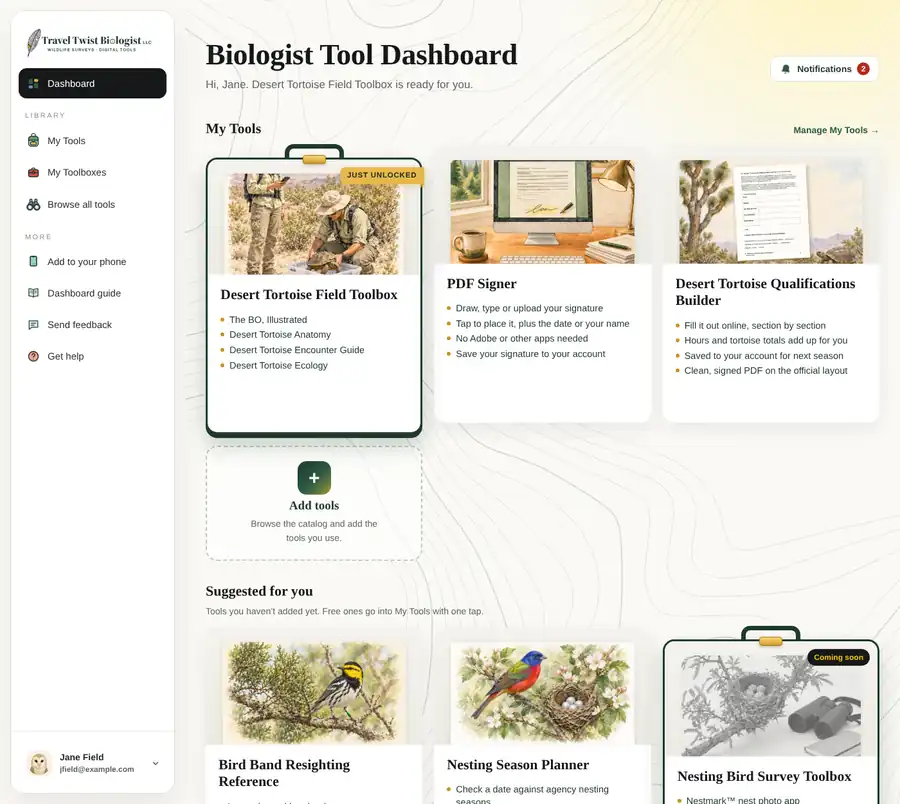
Inside the dashboard
Free tools, toolboxes and project apps
One sign-in on your phone or computer. Start with the free tools, keep the ones you use in My Tools, and open a toolbox for your project or survey type.

Add to your Home Screen
Your dashboard. On your phone.
Open your tools with one tap. No App Store download needed.
iPhone · Safari
- Open dashboard.traveltwistbiologist.com in Safari.
- Tap Share (you may need to tap More first), then Add to Home Screen.
- Leave Open as Web App on if shown, then tap Add.
- Open TTB Dash from your Home Screen and sign in.
If the option is missing, scroll down in the Share menu or use Edit Actions.
Apple’s instructions ↗︎Android · Chrome
- Open dashboard.traveltwistbiologist.com in Chrome.
- Tap the three-dot menu, then Install and create shortcut → Install. Some versions say Add to Home screen or Install app.
- Confirm, then open TTB Dash from your Home Screen and sign in.
Use your usual dashboard account. An internet connection is needed to sign in, open account pages and save assessment records. Adding the icon does not make every tool available offline.